E-Paper




Hooked on Twitch? StreamRecorder Helps You Save Those Epic Clips
What makes StreamRecorder.io stand out to me is how smooth and seamless they make the whole downloading experience.




I don't need to tell you that Twitch has blown up into a massive force for gaming live streams. It seems like everyone and their mother is tuning in to watch their favorite personalities play through the latest titles these days.
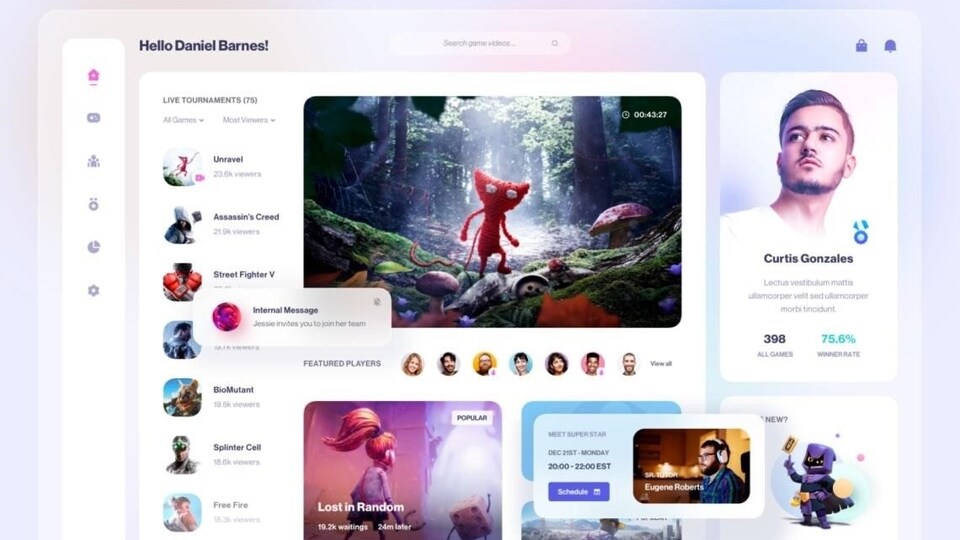
With so many golden moments happening on Twitch every minute, you've probably felt bummed when an epic or hilarious clip vanishes into the void. I mean, who wouldn't want a twitch video download online tool to save those gems forever or share them with friends later?
You can now save Streams and Clips with Streamrecorder.io Twitch Video Downloader
Well, my friend, those frustrating limitations are a thing of the past thanks to StreamRecorder. This handy tool makes it effortless to download the Twitch clips you love.
Trust me, as avid Twitch fans ourselves, we know how valuable these snippets can be. Whether it's a nasty headshot, a streamer's perfectly-timed scream, or a crowd-killing comeback, these clips are the stuff that makes Twitch such a blast. StreamRecorder lets you keep the Twitch moments that matter most and relive them whenever you want.
So if you're tired of losing those legendary clips, do yourself a favor and grab the StreamRecorder Twitch video downloader. It'll make your Twitch addiction even more awesome.
Streamrecorder Twitch Video Downloader
For those of us who love Twitch, easily downloading clips is a must. That's why a site like StreamRecorder.io catches our eye. They make things super simple for you as a user.
What makes StreamRecorder.io stand out to me is how smooth and seamless they make the whole downloading experience. You can quickly get those clips you want in excellent quality, no hassle. It just works reliably. That ease of use and focus on quality keeps me coming back.
Ready to give it a try? Downloading clips with StreamRecorder.io Twitch Video Downloader takes just a few steps:
- Head to their site
- Grab the URL of the Twitch clip you want
- Choose your preferred quality setting
- Hit download!
- The site takes over from there, getting your clip prepped for you FAST.
Some helpful pointers:
- Double check those URLs to prevent hiccups
- Play with the quality options to find your ideal setting
- Be prepared for some slower speeds when things get busy
For Viewers: Saving Your Favorite Twitch Moments with StreamRecorder.io
As a Twitch viewer, you've probably seen epic plays, funny fails, or classic stream moments that you wished you could watch again later. That's where StreamRecorder.io comes in handy! This website lets you easily download clips and segments from Twitch so you can save those memorable moments on your computer.
When you come across a great Twitch clip or VOD section you want to keep, here's how you can use StreamRecorder.io:
First, copy the URL from your address bar or use Twitch's share feature to grab the link for that clip. Then head over to StreamRecorder.io and paste that sucker into the search box right on their home page. We think this tool couldn't make it any easier for you!
Next, you'll want to pick a file quality that works best - StreamRecorder gives you options there. Go with higher resolution if you have the storage space, or smaller file sizes if you just want short highlights.
Finally, hit download and that Twitch moment gets saved as a local video file for you to enjoy again later! Pretty awesome right?
We'd recommend creating playlists or folders to organize all the best stuff you save. It's always fun to throw together compilations of streamer fails or epic gamer victories! Plus you could share the clips with friends and other fans too.
So yeah, if you see something you love on Twitch, StreamRecorder.io makes it super easy for you to hold onto those memories. Give it a try yourself!
How to Use StreamRecorder.io as a Streamer
As a streamer, StreamRecorder.io offers some great tools to take your broadcasting to the next level. Here's how you can use this platform to make streaming easier and more effective:
Archive Your Content
Unlike Twitch, StreamRecorder lets you download full copies of your broadcasts to keep forever. That way, you'll always have your streams even if they get deleted down the road.
Create Awesome Highlight Reels
We think compiling your best moments into a highlights video is a killer way to showcase your talent and engage your community between livestreams. Just note down epic stream moments, download the clips after you finish broadcasting, then edit them into a reel to share out on social media.
Grow Your Audience
Posting highlights when you're not live is amazing for keeping fans hyped and making new ones. We've found it's one of the best ways to keep people excited about your channel on your off days.
Secure Your Hard Work
You put a lot of effort into streaming, so backing up your videos ensures you don't lose footage due to potential issues with built-in Twitch archiving down the line.
Overall, StreamRecorder makes expanding your audience and protecting your streaming content easy. With these tools in your streaming toolkit, you can take your channel to new heights!
Understand The Legal Implecations of Using Twitch Clips form other Streamers
When you download Twitch clips with tools like StreamRecorder.io, it's super important to make sure you're being ethical and respecting copyright laws. We should try our best to properly credit the hardworking streamers whose content we enjoy. That way, we promote a supportive community.
Alternatives to Streamrecorder Twitch Video Downloader
Now, StreamRecorder.io isn't the only site out there that lets you save clips. But when comparing the helpful things these tools can do, StreamRecorder beats out the competition. It's just way easier and more reliable to use. For Twitch fans like us, it's definitely the best way to enhance our viewing experience.
In short, StreamRecorder gives people like you awesome power to easily store clips from your favorite streams. The goal here was to explain how to use it properly. New tech things can get confusing fast! But by breaking this down in casual language, I aimed to help anyone understand the easy way to ethically enjoy more Twitch content. Make sense? Let me know if you have any other questions!
Disclaimer: This article is a paid publication and does not have journalistic/editorial involvement of Hindustan Times. Hindustan Times does not endorse/subscribe to the content(s) of the article/advertisement and/or view(s) expressed herein. Hindustan Times shall not in any manner, be responsible and/or liable in any manner whatsoever for all that is stated in the article and/or also with regard to the view(s), opinion(s), announcement(s), declaration(s), affirmation(s) etc., stated/featured in the same.